Journals and postings
How a cash sale, a transfer sale, and an expense become balanced journals. The till does not write the books by hand.
Who uses this
The owner, when a total looks wrong, or when you want to see the debit and credit behind a receipt.
What you need first
- Opening books confirmed
- At least one posted sale or expense
Steps
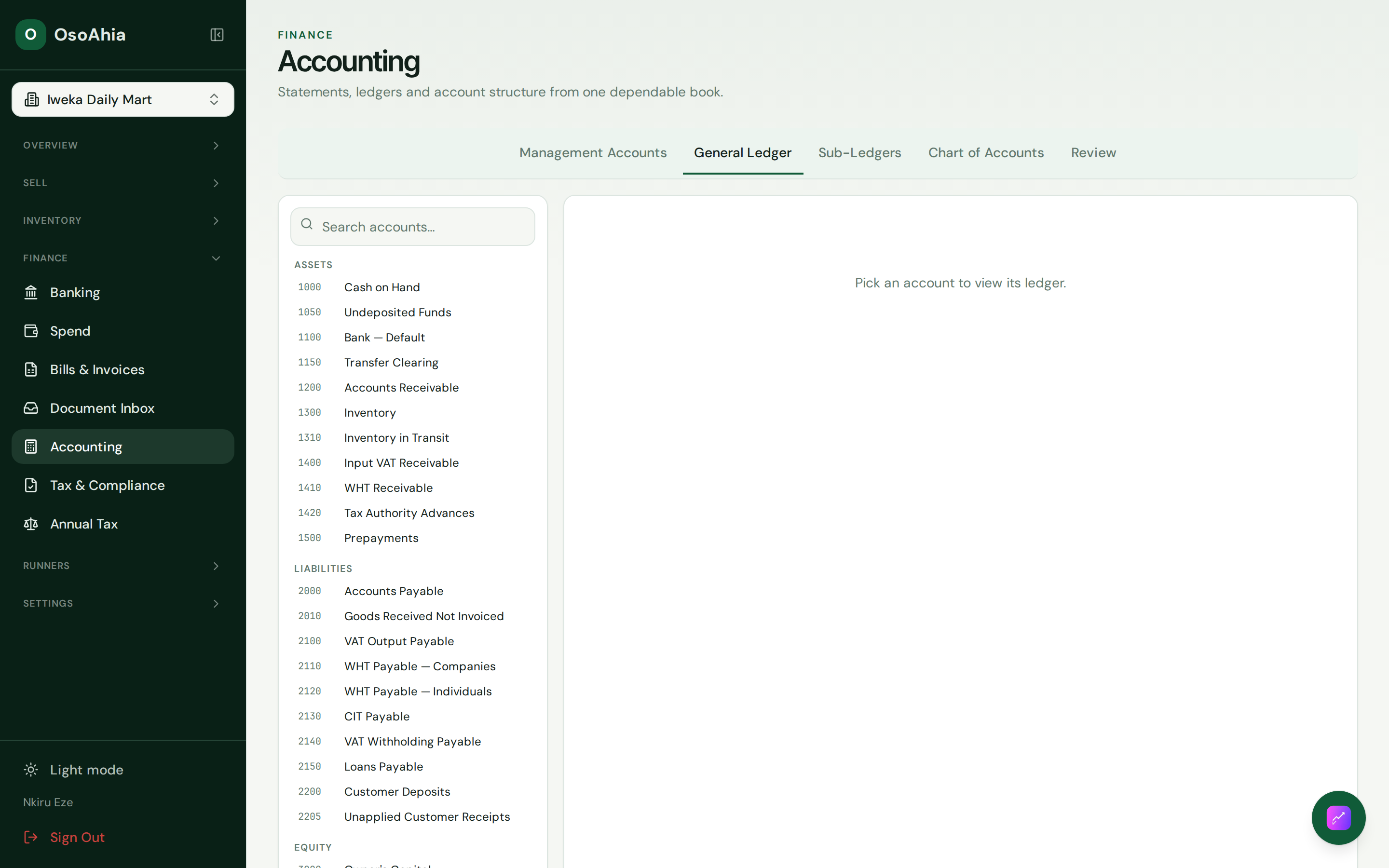
1. Open the general ledger
Open Accounting, then General Ledger. Filter to the business date.
A cash sale debits cash on hand and credits sales (and VAT if the line has tax). A stocked item also posts COGS and inventory. A transfer sale debits transfer clearing instead of cash. An expense posted as transfer credits the same clearing or the bank map you chose.
What done looks like
- Each sale has a balanced journal for revenue, tax, cash or transfer clearing, and COGS if the item is stocked.
- Each expense has a balanced journal for the category and the cash or bank clearing you chose.
- You can open the same receipt from Sales history and from the ledger.
Common mistakes
- Do not post a second income journal for a POS sale that already exists.
- A transfer sale sits in clearing until you match the bank line. That is not missing cash.