Inventory
Add what you sell. Each item needs a name, a price, and a count at a shop. Cost stays with the owner and the books person. Cashiers see retail and stock only.
Who uses this
The owner adds products and writes cost. A manager can count and adjust quantity with a reason. A cashier can see stock on the till, not cost, and cannot add a SKU.
What you need first
- Opening books confirmed
- At least one stockable location
Steps
1. Browse products
Open Inventory. Search by name or SKU. Press Add product. Fill the name, cost, selling price, SKU, unit, opening quantity, reorder point, and tax class. Lace, parts, and bags of rice all use the same form.
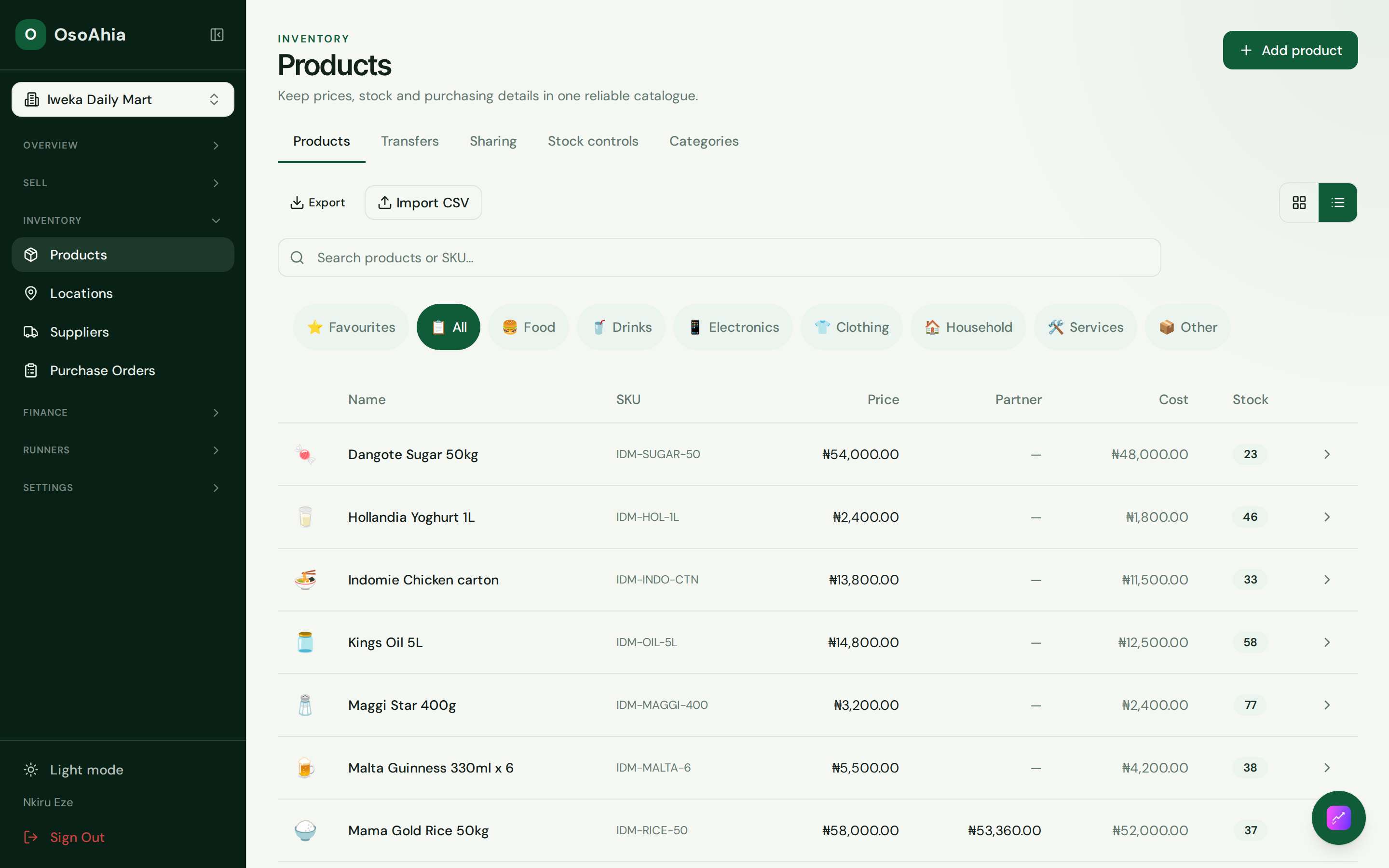
2. Open Add product
Fill cost and retail in the shop currency. Opening quantity posts through inventory, so confirm opening books first. After save, reload the product and check each location’s quantity.
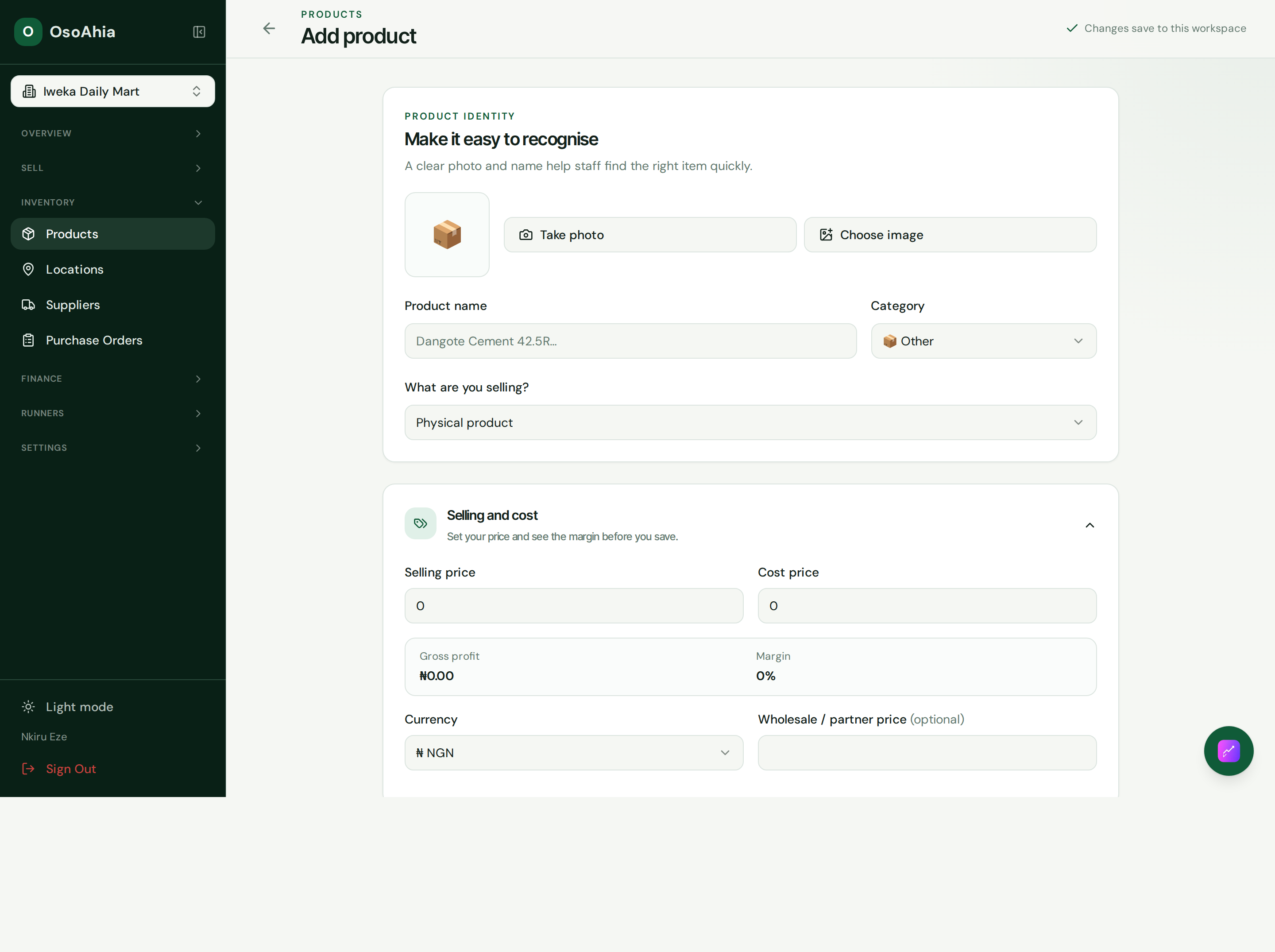
3. Keep cost off the till
Product detail and CSV export hide cost from a cashier. A manager may see cost for counting, but they cannot create the SKU.
What done looks like
- Product detail shows quantity at each location.
- A quantity change creates a stock movement and a balanced inventory journal.
- A cashier export does not include cost or partner price.
Common mistakes
- A quantity edit is a movement, not a silent overwrite.
- Warehouse stock is not on the till unless that location is sellable.
- Do not ask a cashier to type landed cost.