Sell from the counter
Take a cash or transfer sale from the owner workspace. Same checkout as the till.
Who uses this
The owner, when you cover the counter, or when you take a transfer sale yourself.
What you need first
- A sellable location
- A product with stock
- Opening books confirmed
Steps
1. Open a new sale
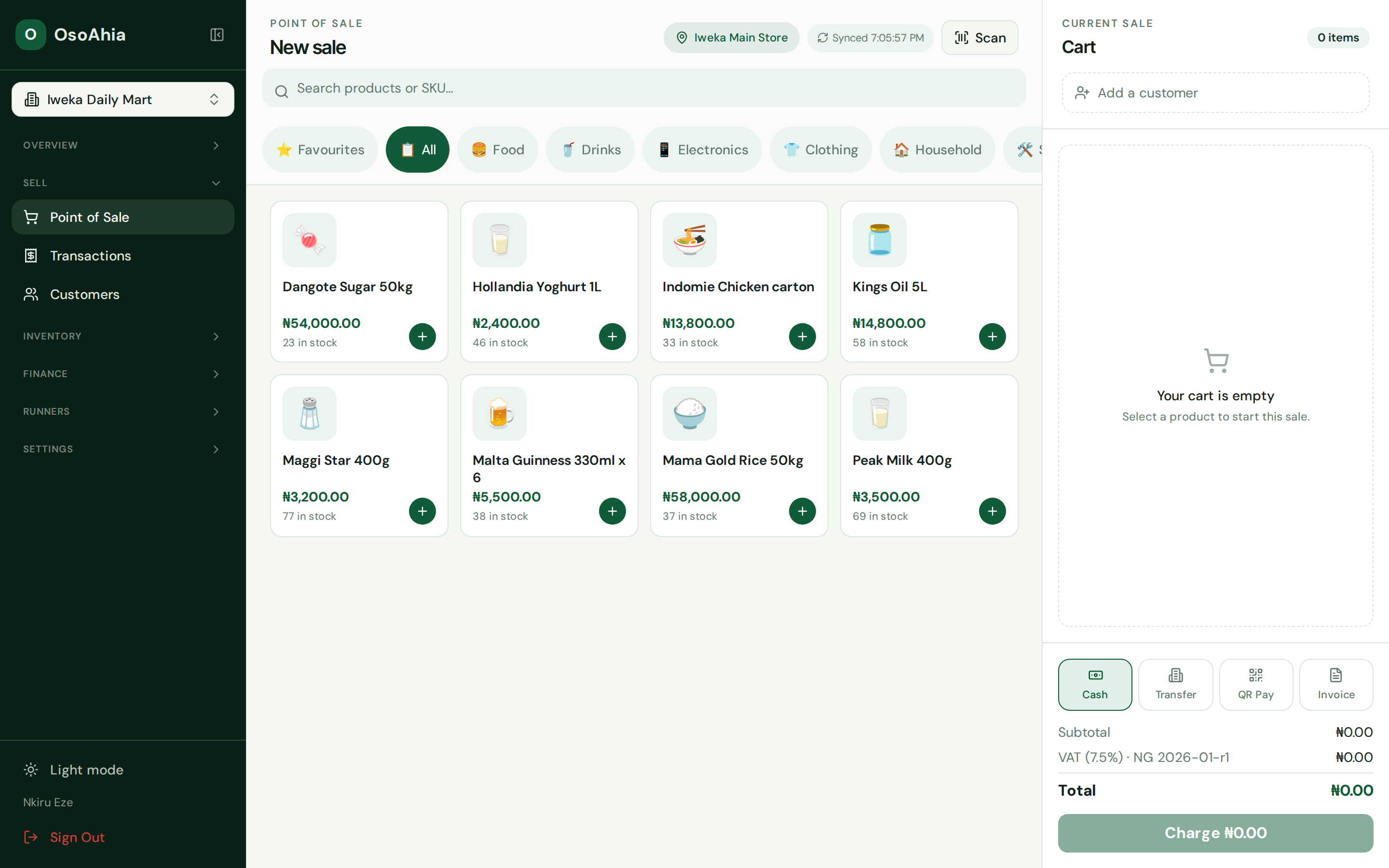
Select the shop. Search by name or SKU. Add a line. Pick a customer if you need one. Press Cash or Transfer, then Charge once. Check the receipt, start a new sale, and find the receipt under Transactions.
What done looks like
- Checkout shows a receipt number and a completed sale.
- Stock drops at the selling location. A transfer sale also creates an invoice.
Common mistakes
- Press Charge once. If the first request already saved the sale, a second press can double it.
- Read tax on the receipt. The shelf price may not be the grand total.